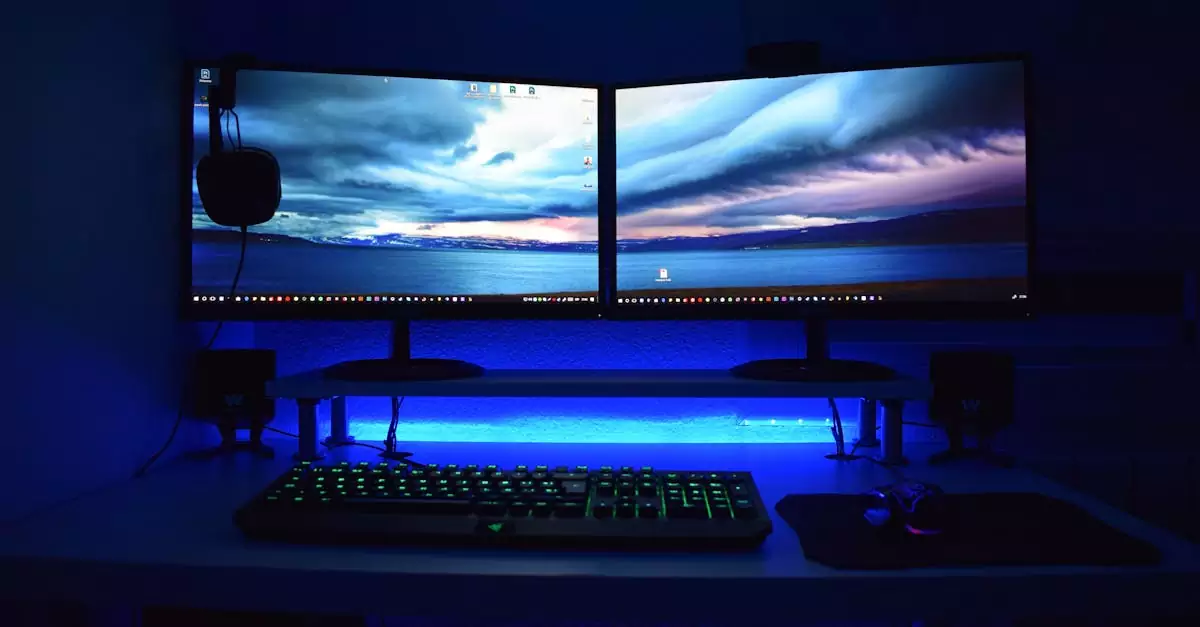
When it comes to choosing a quality monitor, Asus has long been a trusted name among Indian consumers. However, with evolving technology and diverse user needs, exploring Asus monitor alternatives can open up a world of options that might better suit your budget, usage, or feature preferences. Whether you’re a gamer, a creative professional, or a casual user, the right monitor brand can make all the difference in your computing experience.
This article contains affiliate links. As an Amazon Associate, we earn from qualifying purchases at no extra cost to you.
- Best Overall – LG Ultragear 27GL650F
- Best Budget – Samsung LS24R350FHWXXL
- Best Premium – Dell UltraSharp U2723QE
Comparison of Top Asus Monitor Alternatives
| Product Name | Key Feature | Best For | Check Price |
|---|---|---|---|
| LG Ultragear 27GL650F | 144Hz Refresh Rate, 1ms Response Time | Gaming & High-Performance Use | Check Price |
| Samsung LS24R350FHWXXL | IPS Panel, Eye Comfort Features | Budget-Friendly Everyday Use | Check Price |
| Dell UltraSharp U2723QE | 4K UHD, Factory Calibrated Color Accuracy | Professional & Creative Work | Check Price |
| BenQ EX3501R | Curved Ultrawide, HDR Support | Immersive Entertainment & Productivity | Check Price |
| Acer Predator XB273 | G-Sync Compatible, 165Hz Refresh Rate | Competitive Gaming | Check Price |
Why Look Beyond Asus? Understanding Your Monitor Needs
While Asus monitors are popular for their quality and innovation, the Indian market offers several other monitor brands india that bring compelling features at competitive prices. Sometimes, you may find better refresh rates, color accuracy, or panel technology elsewhere.
For example, LG is renowned for its gaming monitors with high refresh rates and quick response times. Samsung focuses on delivering eye care technologies and sleek designs for everyday users. Dell is a go-to for professionals who demand color precision and 4K resolution. Understanding these nuances helps you tailor your purchase to your exact needs.
In this guide, we’ll walk you through some of the best Asus monitor alternatives, covering their key features, pros, cons, and who they are best suited for. We’ll also share practical buying advice, so you make an informed decision.
Top Asus Monitor Alternatives in India

1. LG Ultragear 27GL650F – Best Overall Alternative
The LG Ultragear 27GL650F stands out as a fantastic all-rounder, especially if gaming performance is a priority. It features a 27-inch Full HD IPS panel with a blazing 144Hz refresh rate and 1ms response time, ensuring smooth visuals with minimal motion blur.
- Key Features:
- 27-inch IPS Display with 1920×1080 resolution
- 144Hz refresh rate, 1ms response time
- Compatible with NVIDIA G-Sync and AMD FreeSync
- Ergonomic stand with height, tilt, and pivot adjustments
- Supports HDR10 for enhanced color depth
Pros:
- Excellent gaming performance with smooth frame rates
- Wide viewing angles and accurate colors
- Flexible ergonomics for comfortable use
Cons:
- 1080p resolution might feel limiting for professional editing
- No built-in speakers
Best For: Gamers and users seeking a fast, responsive display without breaking the bank.
💡 Price may change anytime, check latest deal below:
2. Samsung LS24R350FHWXXL – Best Budget Alternative
If you want a reliable monitor for everyday tasks like browsing, office work, and streaming, the Samsung LS24R350FHWXXL is an excellent budget pick. It features a 24-inch IPS panel with Full HD resolution and incorporates eye comfort technologies to reduce strain during long hours of use.
- Key Features:
- 24-inch IPS Display with 1920×1080 resolution
- 75Hz refresh rate, low blue light mode
- AMD FreeSync support
- Sleek, slim-bezel design
- Eye Saver Mode and Flicker-Free technology
Pros:
- Affordable price with solid performance
- Comfort-focused features for eye health
- Good color reproduction for the price
Cons:
- No height adjustment on the stand
- Basic connectivity options
Best For: Students, home office users, and budget-conscious buyers seeking a dependable monitor.
💡 Price may change anytime, check latest deal below:
3. Dell UltraSharp U2723QE – Best Premium Alternative
For professionals who demand the highest color accuracy and 4K resolution, the Dell UltraSharp U2723QE is a top-tier choice. It offers a 27-inch 4K UHD IPS display with factory-calibrated colors and supports HDR content, making it ideal for photo and video editing.
- Key Features:
- 27-inch 4K UHD (3840×2160) IPS Display
- 99% sRGB, 95% DCI-P3 color gamut coverage
- Factory calibrated for color accuracy (Delta E < 2)
- USB-C connectivity with 90W power delivery
- ComfortView Plus for reduced blue light emission
Pros:
- Outstanding image clarity and color fidelity
- Versatile connectivity options including USB-C
- Ergonomic stand with height, swivel, tilt adjustments
Cons:
- Higher price point
- 4K content and hardware needed to fully utilize features
Best For: Creative professionals, designers, and anyone needing precise color reproduction.
💡 Price may change anytime, check latest deal below:
4. BenQ EX3501R – Best Ultrawide Monitor Alternative
The BenQ EX3501R is a curved ultrawide monitor that’s perfect for immersive entertainment and enhanced productivity. Its 35-inch 3440×1440 resolution with HDR support delivers stunning visuals and ample screen real estate for multitasking.
- Key Features:
- 35-inch curved IPS panel
- 3440×1440 resolution, 100Hz refresh rate
- HDR10 support
- USB-C and HDMI ports
- Eye-care technology to minimize strain
Pros:
- Immersive ultrawide experience
- Great for multitasking and media consumption
- Good color accuracy and HDR support
Cons:
- Pricey compared to standard monitors
- Large footprint requires ample desk space
Best For: Professionals and users who want an immersive viewing experience and multitasking capabilities.
💡 Price may change anytime, check latest deal below:
5. Acer Predator XB273 – Best Competitive Gaming Alternative
The Acer Predator XB273 is designed for serious gamers who want the best visuals and performance. With a 27-inch Full HD display, 165Hz refresh rate, and NVIDIA G-Sync compatibility, it delivers smooth gameplay even in fast-paced titles.
- Key Features:
- 27-inch IPS panel with 1920×1080 resolution
- 165Hz refresh rate, 1ms response time
- NVIDIA G-Sync support
- HDR400 certified
- Adjustable stand for ergonomic comfort
Pros:
- Extremely smooth gaming performance
- Excellent color and HDR support
- Robust build and design
Cons:
- Higher price compared to standard gaming monitors
- 1080p resolution might not satisfy users wanting 1440p or 4K
Best For: Competitive gamers who prioritize refresh rate and response time.
💡 Price may change anytime, check latest deal below:
Features Comparison Table
| Feature | LG Ultragear 27GL650F | Samsung LS24R350FHWXXL | Dell UltraSharp U2723QE | BenQ EX3501R | Acer Predator XB273 |
|---|---|---|---|---|---|
| Screen Size | 27 inch | 24 inch | 27 inch | 35 inch (Curved) | 27 inch |
| Resolution | 1920×1080 | 1920×1080 | 3840×2160 (4K) | 3440×1440 (Ultrawide) | 1920×1080 |
| Panel Type | IPS | IPS | IPS | IPS | IPS |
| Refresh Rate | 144Hz | 75Hz | 60Hz | 100Hz | 165Hz |
| Response Time | 1 ms | 5 ms | 8 ms | 4 ms | 1 ms |
| Adaptive Sync | G-Sync, FreeSync | FreeSync | None | FreeSync | G-Sync |
| HDR Support | HDR10 | No | Yes (HDR10) | HDR10 | HDR400 |
| Connectivity | HDMI, DisplayPort | HDMI, VGA | HDMI, DisplayPort, USB-C | HDMI, USB-C | HDMI, DisplayPort |
Summary Table: Which Asus Monitor Alternative Suits You?
| Use Case | Recommended Monitor | Why Choose This? |
|---|---|---|
| Gaming (High Refresh Rate) | LG Ultragear 27GL650F | Excellent 144Hz refresh rate and 1ms response time for smooth gameplay |
| Budget Everyday Use | Samsung LS24R350FHWXXL | Affordable IPS panel with eye comfort features |
| Professional Editing | Dell UltraSharp U2723QE | 4K resolution with factory-calibrated color accuracy |
| Immersive Multitasking | BenQ EX3501R | Ultrawide curved screen for enhanced productivity and entertainment |
| Competitive Gaming | Acer Predator XB273 | 165Hz refresh rate and G-Sync for tear-free gaming |
How to Choose the Best Asus Monitor Alternative for Your Needs
Choosing the right monitor requires balancing several factors based on your primary use case. Here are some expert tips to help you decide:
1. Define Your Primary Use Case
Are you gaming competitively, working on graphic design, or simply browsing the web? For gaming, prioritize high refresh rates (120Hz or more) and low response times (1-4ms). For professional work, color accuracy and resolution (like 4K) are paramount.
2. Screen Size and Resolution
Screen size preference varies widely. While 24-27 inches is typical for most users, ultrawide monitors (34 inches and above) offer more horizontal space, boosting productivity but require more desk space and budget.
3. Panel Type
IPS panels are preferred for their color accuracy and viewing angles, making them ideal for most users. TN panels offer faster response times but poorer colors, while VA panels provide better contrast but slower response.
4. Connectivity Options
Check if the monitor supports the ports you need, such as HDMI, DisplayPort, USB-C, or VGA. USB-C is particularly useful for modern laptops and reduces cable clutter.
5. Eye Comfort Features
Long hours in front of the screen can strain your eyes. Look for flicker-free technology, low blue light modes, and ergonomic stands to reduce discomfort.
6. Budget Considerations
Set a realistic budget. While premium monitors offer advanced features, many budget options deliver excellent value for everyday use.
Where to Buy Monitors from Trusted Brands in India?
When shopping for monitors, purchasing from reliable sources ensures you get genuine products with warranty support. Amazon India is a preferred platform offering a wide range of monitor brands, competitive pricing, and fast delivery.
Explore more options and deals:
👉 View More Asus Monitor Alternatives on Amazon
👉 Explore Popular Monitor Brands in India on Amazon
Expert Insights: Real-World Use Cases
As a professional video editor, I found the Dell UltraSharp U2723QE invaluable for its color accuracy and 4K resolution, which made grading footage much easier. Similarly, a friend who’s an avid gamer swears by the LG Ultragear 27GL650F for its smooth gameplay and minimal input lag.
For students and work-from-home users, the Samsung LS24R350FHWXXL offers great value without compromising on eye comfort, especially during long study or work sessions.
These real-world experiences highlight that the best monitor depends heavily on your specific needs, so consider your daily tasks before purchasing.

Frequently Asked Questions (FAQs)
What are the best Asus monitor alternatives for gaming?
For gaming, monitors like the LG Ultragear 27GL650F and Acer Predator XB273 offer high refresh rates (144Hz and 165Hz respectively) and low response times, making them excellent Asus alternatives.
Are there good budget monitors in India besides Asus?
Yes, Samsung LS24R350FHWXXL is a reliable budget-friendly monitor with an IPS panel and eye comfort features, suitable for everyday use.
Which monitor brand is best for professional photo editing?
Dell UltraSharp monitors, especially the U2723QE, are preferred for professional editing due to their 4K resolution and factory-calibrated color accuracy.
Do ultrawide monitors make a difference?
Ultrawide monitors like the BenQ EX3501R provide more horizontal workspace, enhancing multitasking and immersive entertainment, which can boost productivity and enjoyment.
Where can I find the best deals on monitors in India?
Amazon India is a reliable platform offering competitive prices, a wide selection of monitor brands, and convenient delivery options.
Final Thoughts on Choosing Asus Monitor Alternatives
Exploring Asus monitor alternatives reveals a vibrant market with options tailored to every budget and use case. If you want outstanding gaming performance, the LG Ultragear 27GL650F or Acer Predator XB273 are excellent picks. For budget-conscious users, Samsung’s LS24R350FHWXXL offers solid everyday performance. Professionals should consider the Dell UltraSharp U2723QE for top-notch color accuracy and 4K clarity.
Remember, the best monitor is one that fits your specific needs and workspace. With this buying guide, you have the insights to make an informed decision and enhance your computing experience.
Don’t forget to check the latest prices and deals regularly, as monitor prices can fluctuate based on sales and availability.
Looking for more insights on electronics and gadgets? Check out our detailed reviews and guides on best gaming laptops in India and best smartphones under 20000 for budget tech recommendations.